Ping: A Messaging App for Kids 6–12 With No Strangers, No Ads
Your child wants to text friends, but WhatsApp feels like too much. Here's the app a dad built when he couldn't find one for his daughter.
Hi friends, do you have a kid who’s about to hit “phone age”? Or maybe your child already uses a phone and messaging apps, but something about it just doesn’t sit right because none of it feels safe enough? One thing is clear: our kids are growing up with digital media, and they want to chat with their friends and stay in touch.
Another thing is just as clear: online grooming is a huge danger. A study by the Landesanstalt für Medien NRW (the media authority of the German state of North Rhine-Westphalia) found that 24 percent of 8- to 18-year-olds have been contacted online by an unknown adult and asked to meet up. Fifteen percent received nude photos they never asked for. Around 20 percent came into contact with sexual content without wanting to.
We keep hearing from you that you’d like to use alternatives to the big messaging apps, but you don’t really know which ones are actually better (and not just kid-safe on the surface…)
Today we want to introduce you to Ping, a messaging app made specifically for kids between 6 and 12. Kids can only chat with contacts their parents have approved – no public profiles, no search, no ads, no selling of data, no phone numbers for kids. It’s developed and hosted in Germany by Denis, whom we asked everything you’d want to know about Ping.

Denis, how does someone end up building their own messenger?
I’ve been building digital products for more than 25 years, but what got Ping started was very personal. When my daughter reached the age where she wanted to write to her grandparents and her friends from school, I went looking for a suitable app. And I couldn’t find anything that fit.
WhatsApp was out for me: too open, problematic when it comes to privacy, and you need a phone number. Signal is privacy-friendly, but it isn’t made for kids either, and it also requires a phone number. I even installed Threema for a short time, but in the end that’s an app for adults, too, not for a child.
So I built Ping. It’s an app I can hand to my daughter with a clear conscience, and the one I wished I’d had as a dad.
Where, exactly, is Ping safer for kids?
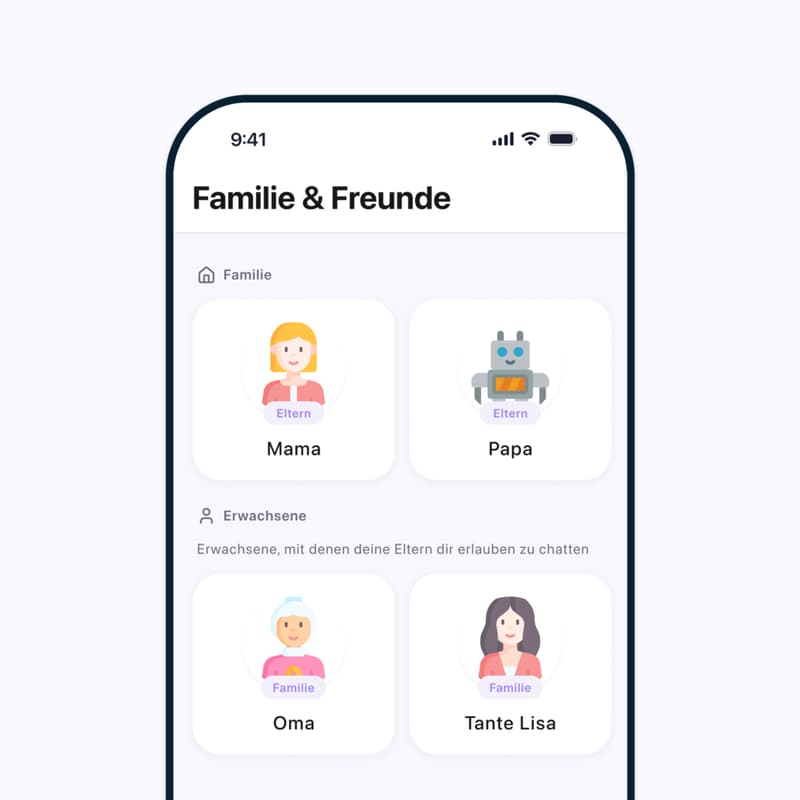
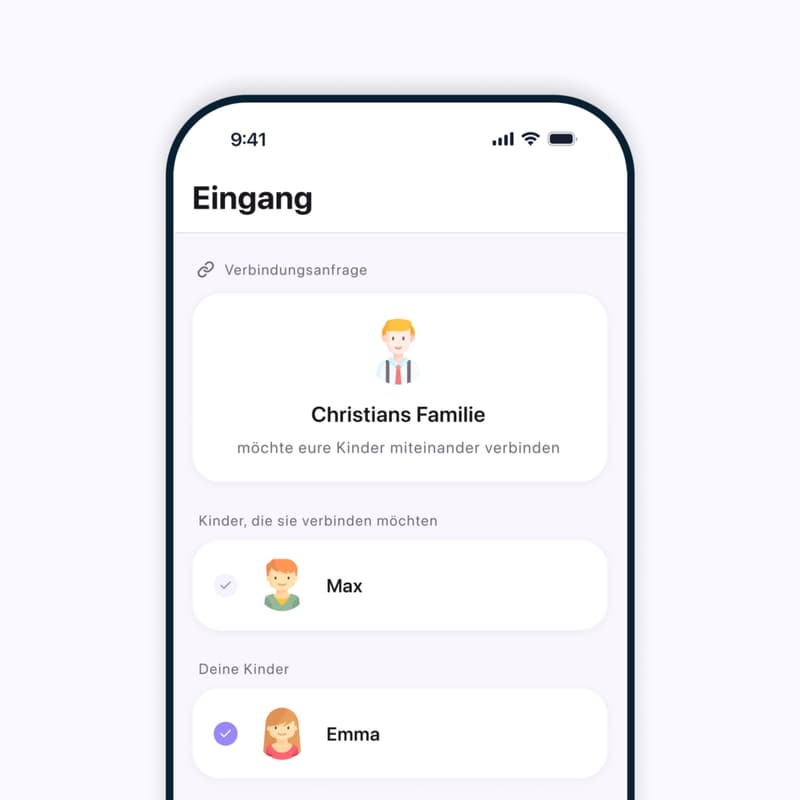
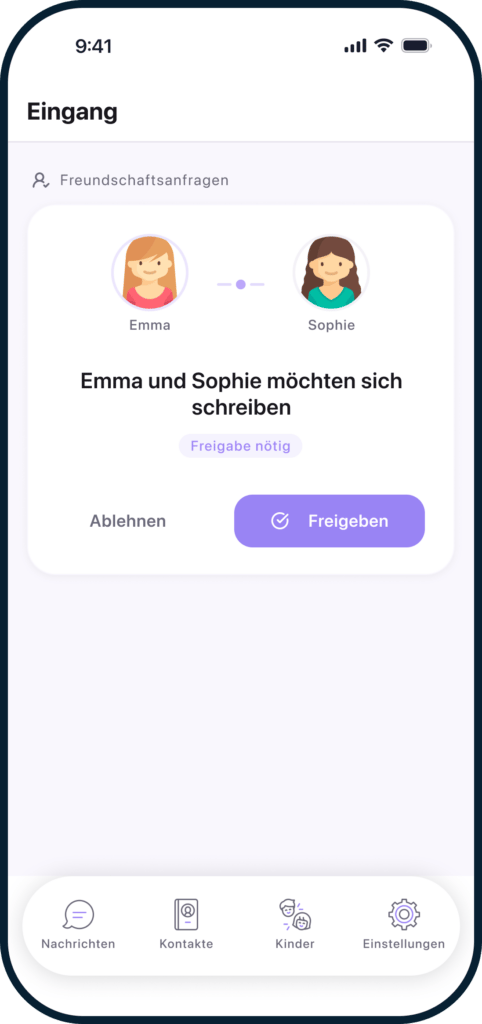
With Ping, safety isn’t a feature added later. It’s built in from the start. It’s structurally impossible for a stranger to contact your child. There are no public profiles, no user search, and no way to be found through a phone number. New contacts are added either by the kids themselves – with a QR code, when they’re together – or by the parents directly in the app. When kids add contacts themselves, they can only connect with other kids.
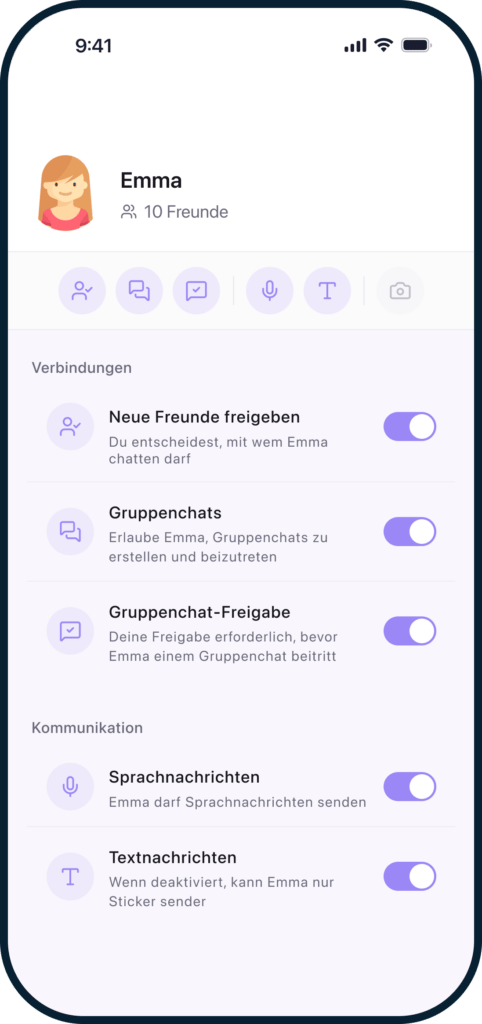
Parents approve every single contact before a message is possible. They also decide which features their child can use: whether photos can be shared, whether voice messages are turned on, whether group chats are allowed, and when the app goes into quiet mode, for example in the evening or during school hours.
Kids don’t need their own phone number or an email address for Ping. They sign in using only a QR code. All messages are end-to-end encrypted. And because Ping is developed and hosted in Germany, the strict European privacy standards apply: no ads, no selling of data, no profiling.
What age is Ping right for?
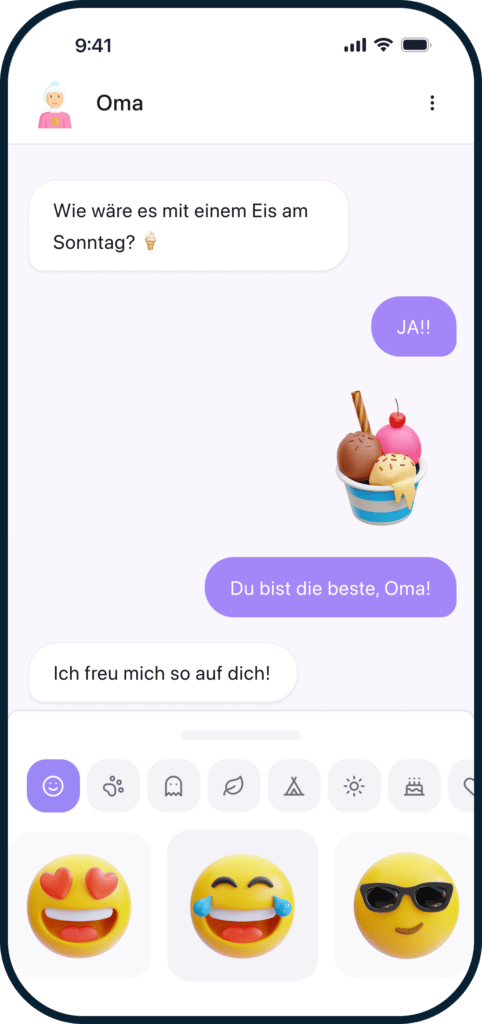
Ping was designed to adapt to the child’s age and abilities, not the other way around. Even very young kids, from around age 4, can already use Ping: parents can set up the app so that only stickers, drawings, and voice messages are available – no text, no photos. That way, kids who can’t read or write yet can still stay in touch with their grandparents or close family.
This works without a phone of their own, too, because Ping runs on a family tablet. Ping was independently reviewed by the IARC (the International Age Rating Coalition) and carries Germany’s USK rating of 0 and up — meaning there’s no age restriction.
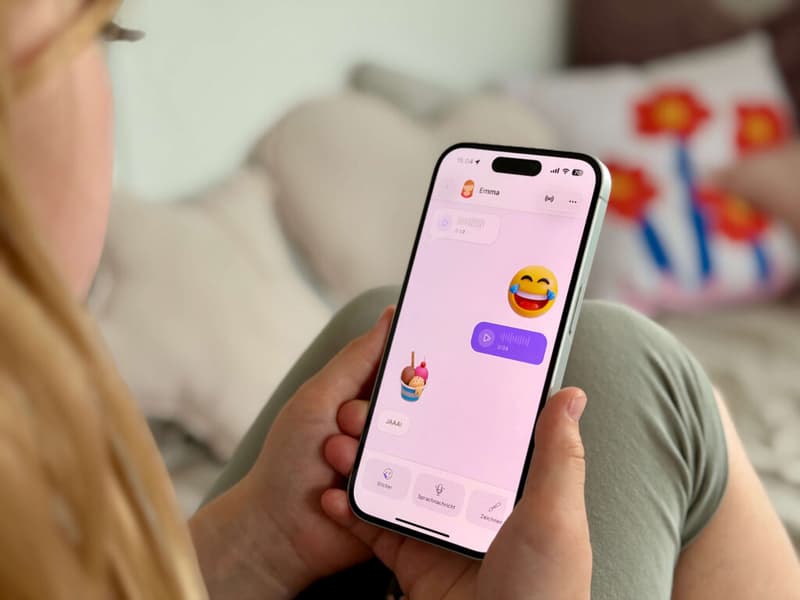
The core Ping experience is aimed at elementary school kids who can already read and write and are starting to communicate with friends from school. That’s where the full chat interface comes into play: stickers, drawings, voice messages, text, and, if parents allow it, photos. Writing in an app can even help build reading and writing skills in a playful way.
But it’s important to me to say this: we don’t want to give kids extra screen time. Kids today are digital natives. They grow up with technology, and the question isn’t whether they use digital media, but how. Ping gives parents the tools to actively guide and shape that first step into digital communication: with quiet hours, with clear limits, with the option to unlock features step by step as the child matures. Younger kids should always use the app together with a parent.
Digital products for families that protect kids and encourage a healthy relationship with digital media: that’s the mission of SafeCircles GmbH, the company behind Ping.
How much parental “control” over chats on Ping do you think is necessary and/or sensible?
It’s a question I asked myself a lot as a dad, and the answer is built into Ping’s design: parents should know who their child is talking to without reading every single message. To me, real control doesn’t mean surveillance, it means setting guardrails. Parents decide who gets to enter their child’s digital life, and that’s it. Ping takes care of the rest.
Specifically: parents approve every new contact. In group chats, they can see who’s in the group and get notified when someone new is added. That way they always know what’s going on without reading the chat itself.
At the same time, kids learn to take responsibility themselves. If something in a chat feels wrong, they can simply pause or leave the chat, right from the app. Parents immediately get a notification with the key information: What was the problem, and with whom? That way parents and child can talk it through together and find a solution. If necessary, the contact can be blocked or removed.
To me, that’s the healthiest approach: not controlling, but guiding. Kids need a protected space where they can learn to use digital communication responsibly, with parents in the background who are there when they’re needed.
Is Ping hard to set up, and what does it cost?
Not at all. Setup only takes a few minutes. Parents first download Ping on their own device and set up the family account there. They create a profile for their child and choose a PIN, which the child will use later to sign in to the app. Then they download Ping on the child’s device or on the family tablet, scan the setup QR code, and that’s it. Your child can get started right away.
Ping is available as a family subscription and costs €2.99 per month. That includes all the kids in the family, as well as trusted people like grandparents who want to write with the child.
There’s a special offer for StadtLandMama readers: with the code STADTLANDMAMA, you can try Ping free for 3 months. Just enter the code on the subscription page and get started.
The bigger apps offer parental controls too – what do you do even better?
It’s true that big messaging companies are starting to introduce features for families and younger users, and I’m glad to see it. But the key difference is in how the control works. With traditional messengers, parents get, at best, notifications about what their kids are doing. With Ping, parents actively decide how their kids are allowed to use the app: which features are unlocked, when the app goes into quiet mode, whether photos or group chats are allowed. Those settings can be adjusted anytime as the child gets older and can take on more responsibility.
On supported Apple devices, the app automatically scans photos for sensitive content before they’re sent or received, entirely on the device, with no data transmitted.
All of this is possible because Ping was built for kids from the ground up, and not as an add-on to an app originally built for adults. If you want to read up on the differences in detail: we’ve created our own comparison pages that put Ping side by side with WhatsApp and Signal: ping.kids/de/whatsapp-alternative-for-kids and ping.kids/de/signal-alternative-for-kids.
If this has made you curious, definitely stop by PING and take a look! And don’t forget: with the code STADTLANDMAMA, you can try Ping free for 3 months. Just enter the code on the subscription page and get started. For more safety, and more chatting you can feel good about!
This story first appeared in German on StadtLandMama.